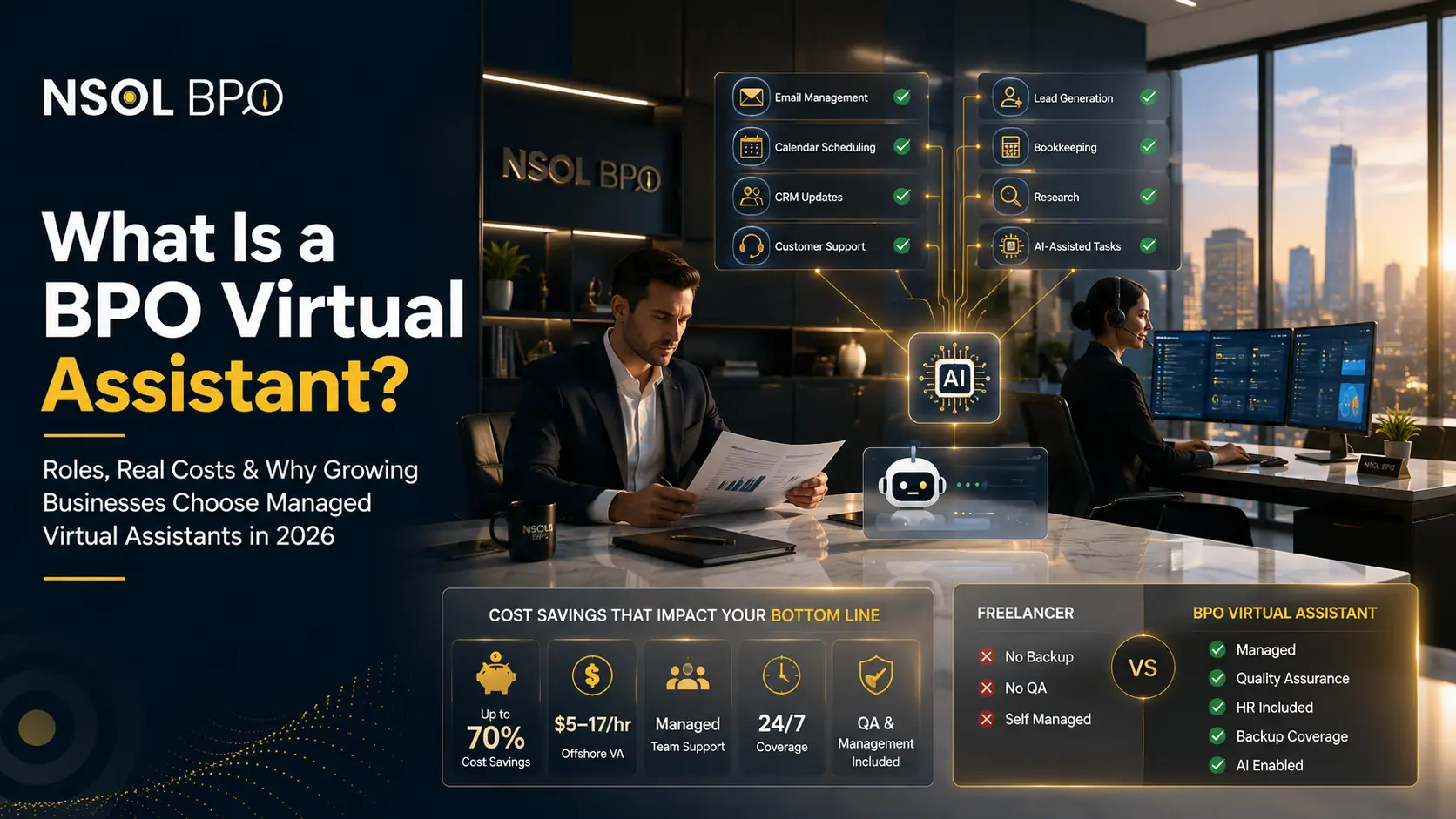

How AI-augmented virtual assistants combine human judgment with automation to deliver faster, smarter, lower-cost business support.
The Outsourcing Playbook Is Being Rewritten
For two decades, companies have offloaded functions for cost-saving reasons. Now, in 2026, companies offload in order to accelerate processes, and that’s thanks to artificial intelligence. While generative AI has been quietly making its way into the workflow process, 75% of the knowledge workforce already relies on AI in the workplace, while 90% claim that AI saves them time, based on the Microsoft 2025 Work Trend Index report that polled 31,000 people in 31 countries. According to McKinsey, currently 78% of companies apply AI in at least one business process.
However, this is where many organizations are making their mistake: they believe that all AI needs to do is replace humans. It does not. AI is able to draft the summary of a contract in a matter of seconds — and then come up with an innovative clause that is not even there in the document. AI can set up meetings flawlessly, but then sends an email to the wrong client.
This is the change that characterizes modern-day outsourcing: the rise of AI-augmented virtual assistants, where trained human professionals leverage AI tools for quicker, more efficient, and inexpensive work, yet retain the discretion and accountability that no software can provide. In this guide, we take a look at the exact AI tools that these virtual assistants employ in 2026 and why AI is transforming outsourcing, making human and AI cooperation beat either of the two alone.
What Are AI-Augmented Virtual Assistants?
Quick answer: AI-augmented virtual assistants are trained human professionals who use AI tools such as ChatGPT, Claude, Copilot, and workflow automation platforms to complete business tasks faster and more accurately. The AI handles speed and scale; the human handles judgment, quality control, and client relationships.
A typical VA, for instance, is an expert who performs various activities remotely, including inbox management, scheduling, data entry, conducting research, responding to customers’ inquiries, and other activities. On the contrary, AI-Augmented virtual assistants typically mean the use of software, such as a chatbot or a voice assistant, without the involvement of any human being.
AI-augmented virtual assistants describe a deliberate fusion of both types. The human is still responsible for the result achieved, but instead of writing emails on their own or entering data in various systems manually, they instruct an AI-enabled system to do it automatically and only review the result afterwards. In other words, it means a proficient professional who works with a range of sophisticated tools.
How the three models compare
| Capability | AI Tool Alone | Traditional VA | AI-Augmented VA |
|---|---|---|---|
| Speed & scale | Very high | Moderate | Very high |
| Accuracy & fact-checking | Inconsistent | High | High (human-verified) |
| Judgment & context | Limited | Strong | Strong |
| Handles nuance/exceptions | Poor | Strong | Strong |
| Confidentiality & accountability | Unclear | Yes | Yes |
| Cost efficiency | Low cost, high risk | Cost-effective | Best value per output |
| Best for | Simple, repetitive tasks | Complex human tasks | Most business workflows |
The benefit of combining both is compounding: you get the throughput of automation and the reliability of a human owner. That is why forward-looking companies are no longer asking “AI or a VA?” They are hiring VAs who already know how to wield AI.
Why Businesses Need AI-Augmented Virtual Assistants in 2026
The business case is no longer theoretical it is showing up in hard data across productivity, cost, and customer experience.
Measurable productivity gains
One notable study conducted at Stanford University and the Massachusetts Institute of Technology (through the National Bureau of Economic Research) on 5,172 customer support agents revealed that access to generative AI increased productivity in terms of issues resolved in an hour by an average of 15%, and as high as 34% in the case of younger and less experienced employees. AI helped provide information and write responses, whereas the human agent helped conclude the interaction. This was the AI-assisted model.
Cost savings without cutting corners
Outsourcing already reduces labor costs significantly compared to in-house hiring. Layering AI on top compresses the time each task takes, which means the same professional delivers more output per hour. For a business, that translates into lower cost per completed task without sacrificing the human review that protects quality. It is no surprise that 92% of organizations now expect their outsourcing vendors to integrate AI capabilities into service delivery, according to Deloitte’s global outsourcing survey.
Faster turnaround and better customer experience
Speed creates a competitive edge. AI-Augmented Virtual Assistants draft and reply within minutes as opposed to hours to ensure that leads are responded to when they are still hot, and customers don’t have to wait. Indeed, the trend towards this hybridization of technology is clear: 85% of companies will be using AI + human agents in their contact center by 2026, compared to 64% today.
Human oversight that reduces errors
AI models still “hallucinate” they can produce fluent, confident, and completely wrong information. In regulated fields like healthcare, legal, mortgage, and accounting, an unreviewed AI error is a liability. The human layer in AI-augmented Virtual Assistants exists precisely to catch these mistakes before they cause damage. This is why Gartner projects that 40% of enterprise applications will feature task-specific AI agents by the end of 2026 but also warns that governance and human oversight are what separate success from expensive failure.
The takeaway: AI delivers speed and scale; humans deliver judgment and accountability. Businesses that combine both capture the upside of automation while containing its risks, which is exactly what AI-augmented virtual assistants are built to do.
AI Tools Every Virtual Assistant Uses in 2026
The following breakdown outlines the tools used by today’s virtual assistants based on their functions. For each function, we explain the role of the tool, its application, its limitations, and how our virtual assistants apply it to client operations. There is no single best tool because the 2026 toolset consists of layers, and smart VAs know how to combine them.
The 2026 AI virtual assistant tool stack at a glance
| Category | Leading Tools | Primary Job |
|---|---|---|
| Conversational & reasoning AI | ChatGPT, Claude, Gemini, Microsoft Copilot | Drafting, research, analysis, summarizing |
| Research with citations | Perplexity | Sourced, verifiable answers |
| Writing quality & proofing | Grammarly, Notion AI | Editing, tone, knowledge base |
| Design & visuals | Canva AI | Social graphics, decks, brand assets |
| Workflow automation | Zapier, Make.com | Connecting apps, removing manual steps |
| Meetings & transcription | Fireflies.ai, Otter.ai, Loom AI | Notes, action items, async updates |
| Project & task management | ClickUp AI, Notion AI | Planning, status, task summaries |
| Sales, CRM & scheduling | HubSpot AI, Apollo.io, Calendly | Lead gen, CRM hygiene, booking |
1. Conversational & reasoning AI: ChatGPT, Claude, Gemini, Microsoft Copilot
What they do: These are the all-round engines of the contemporary VA. ChatGPT (OpenAI) is an all-round champion in writing and reasoning. Claude (Anthropic) is best for long-document analysis because it is provided with a big context window. Google’s Gemini powers Google Workspace applications Gmail, Docs, Sheets. Microsoft’s Copilot works with Word, Excel, PowerPoint, Outlook, and Teams.
- Best use cases: writing emails and proposals, summarizing extensive discussions and writings, brainstorming, analyzing and organizing spreadsheet information, translating, and report writing.
- Benefits: condensing many hours of writing into minutes; instantly organizing chaotic information; always-available service.
- Limitations: can fabricate facts, are only up-to-date to when they were trained or have access to data, and should never be blindly trusted with confidential or numeric information.
How NSOL BPO VAs use it: Our assistants use these tools to produce the first draft of a proposal, a customer response, or a meeting summary, then apply human checks to ensure the facts are correct, the tone is in line with the client’s branding, and no confidential information is leaked.
2. Research with citations: Perplexity
What it does: Perplexity is an AI-driven answer engine that produces answers with numbered, clickable citations, which means each statement can be linked back to a source.
- Best use cases: market and competitor research, factual verification, statistic verification, and briefing building when sources are important.
- Benefits: faster than doing research manually, with citations linked for quick checking.
- Limitations: sources still need a human sanity check, and it can miss paywalled or very recent information.
How NSOL BPO VAs use it: For research-heavy deliverables industry briefs, prospect lists, competitive summaries our VAs use Perplexity to gather sourced facts fast, then validate each citation before it reaches the client. That keeps research both quick and defensible.
3. Writing quality & knowledge: Grammarly and Notion AI
What they do: Grammarly provides analysis on grammar, clarity, tone, and consistency in email and document writing. Notion AI makes a company’s Notion workspace searchable, allowing the AI to create answers, summaries, and drafts based on your existing data.
- Best use cases: improving client communication (Grammarly); storing standard operating procedures, notes, and playbooks in one spot and querying them instantly (Notion AI).
- Benefits: professionally edited messages and consistent information in one place for everyone to query.
- Limitations: Grammarly might over-edit the unique voice of the copy; Notion AI only knows what’s input into it.
How NSOL BPO VAs use it: A Grammarly review is run on all client-facing messages for consistency and professionalism, while Notion AI keeps all SOPs and guidelines for each client so the assigned VA works accordingly from day one.
4. Design & visuals: Canva AI
What it does: Canva’s AI functionality, including Magic Design, Magic Write, and background tools, can create social graphics, presentations, and branded designs using just a prompt or a template.
- Best use cases: social media graphics, pitches, one-pagers, listing flyers, and brand assets.
- Benefits: professional designs even without a professional designer; fast delivery of common graphics.
- Limitations: not suitable for more complicated or custom brand design; requires a human eye to make sure the design fits the brand.
How NSOL BPO VAs use it: Our virtual assistants create branded social graphics and marketing assets in Canva very fast, filling our clients’ content calendars while ensuring that each graphic adheres to the brand guidelines.
5. Workflow automation: Zapier and Make.com
What they do: Zapier and Make.com integrate your apps and automate processes, transferring data from one app to another, executing follow-up tasks, and saving you from repetitive copy-and-paste work. These tools now have an AI element that helps you create and execute automations better.
- Best use cases: integrating leads into a CRM, transferring form data, event notifications, and linking non-integrated apps.
- Benefits: save many hours of manual data entry; prevent errors from repeated actions; run 24/7.
- Limitations: may fail if apps get updated; require thought and monitoring to prevent hidden errors.
How NSOL BPO VAs use it: We leverage Zapier and Make to create the hidden mechanics of how a company works: leads are integrated automatically into the CRM, appointments are synchronized among calendars, and status updates are made automatically with our AI-Augmented Virtual Assistants designing, testing, and monitoring each workflow.
6. Meetings & transcription: Fireflies.ai, Otter.ai, Loom AI
What they do: Fireflies.ai and Otter.ai listen in on calls and automatically record, transcribe, and summarize the content while extracting action items. Loom AI captures asynchronous video updates with automatic titles, summaries, and transcripts.
- Best use cases: capturing meeting minutes and action items, creating task lists from them, and replacing status meetings with asynchronous videos.
- Benefits: nothing gets missed; action items are automatically recorded; searchable transcripts of every conversation.
- Limitations: transcription quality may suffer with accents, crosstalk, or poor audio; recording raises consent and privacy considerations.
How NSOL BPO VAs use it: Our assistants record client and internal calls with Fireflies or Otter, then convert the AI notes to accurate, reviewed summaries and task lists after confirming consent for the recordings.
7. Project & task management: ClickUp AI
What it does: ClickUp AI plans projects, creates and summarizes tasks, generates status updates, and writes documentation all within one work-management tool.
- Best use cases: decomposition of goals into tasks, status-update generation, and alignment of distributed teams.
- Benefits: saves time on status reporting; better visibility for clients; quicker project setup.
- Limitations: AI-based summaries require human context; too much automation may hide problems.
How NSOL BPO VAs use it: Our AI-Augmented Virtual Assistants run client work within ClickUp and generate status summaries using its AI functionality, so clients always know what was accomplished, what happens next, and where they are required without spending time in meetings.
8. Sales, CRM & scheduling: HubSpot AI, Apollo.io, Calendly
What they do: HubSpot’s AI generates marketing and sales copy, ranks leads, and cleans data in the CRM. Apollo.io uses AI to generate prospect lists and personalize outreach at scale. Calendly optimizes scheduling and uses AI to make booking easy.
- Best use cases: lead generation, personalized cold outreach, CRM data management, nurture campaigns, and appointment scheduling.
- Benefits: pipeline growth, reduced effort in generating leads, improved data quality, and more booked meetings.
- Limitations: unsupervised AI-personalized outreach can turn out very generic, and prospect data needs validation for accuracy.
How NSOL BPO VAs use it: Our lead generation virtual assistants use Apollo.io to create and validate prospect lists, HubSpot AI to write and organize outreach and manage the CRM, and Calendly to book appointments with a human personalizing messaging so it never reads like spam.
Human + AI: Why the Combination Wins
With this sort of capability from the tools available, why have the human VA at all? Because the things that really matter in running your business are exactly the sorts of things that AI tools are worst at doing.
- Critical thinking: AI provides the expected output but doesn’t actually reason through what will work best in your business.
- Decision-making: deciding which lead to follow up first, dealing with an angry customer, or knowing when something is ready to ship are decisions a machine can’t be trusted with.
- Customer communication: people can sense the lack of warmth and context awareness that comes from a generic response.
- Relationship building: building connections involves trust, empathy, and intuition the kinds of skills people excel in.
- Confidentiality: professionals are responsible for maintaining confidentiality and know what can and can’t go into AI tools.
- Quality control: this is the level where all the mistakes made by AI get fixed before going out.
That’s why the findings are so clear: artificial intelligence produces the most when it is controlled by a competent professional. The tool is the accelerator; the professional is the driver. Take away the driver, and you get speed without direction which in business terms is just a quicker risk.
Real Business Applications by Industry
Here is how AI-augmented virtual assistants apply this toolkit across the industries NSOL BPO serves.
| Industry | What an AI-Augmented VA Does |
|---|---|
| Real Estate | Qualifies and follows up with leads, drafts listing descriptions and social graphics, schedules showings, and keeps the CRM current so agents spend time closing, not doing admin. |
| Healthcare | Handles appointment scheduling, patient reminders, insurance and intake data entry, and inbox triage always with human review to protect patient information and meet privacy rules. |
| Legal | Summarizes documents and case files, organizes discovery, drafts routine correspondence, and manages calendars with an attorney’s team verifying every AI-assisted output. |
| Mortgage | Chases documents, updates loan pipelines, drafts borrower communications, and keeps applications moving while a human verifies every figure and compliance detail. |
| Accounting | Categorizes transactions, prepares reports, organizes receipts and records, and drafts client updates with human checks on every number before it is finalized. |
| Customer Support | Drafts fast, accurate replies, summarizes tickets, and surfaces knowledge-base answers, letting a human resolve issues quickly and empathetically. |
| Lead Generation | Builds verified prospect lists, personalizes outreach, books meetings, and keeps the CRM clean — filling the pipeline without generic spam. |
How NSOL BPO Uses AI Responsibly
The use of AI tools is simple. Using them in a way that clients can trust with their data, their reputation, and their customers is something most companies do not get right. The process of AI integration at NSOL BPO is:
- AI-assisted workflows: our AI-Augmented Virtual Assistants use only tested AI tools to speed up drafting, research, data analysis, and automation but never as a replacement for skilled human staff.
- Human review on every deliverable: anything produced by our virtual assistants is first reviewed by a trained person who ensures its quality and appropriateness. Hallucinations and mistakes won’t be there in the end product.
- Data privacy and confidentiality: we make sure our clients’ sensitive information never becomes part of our AI tool input.
- Quality assurance: we have quality-control standards and specific client branding guidelines that keep output consistent regardless of the VA assigned.
- Faster delivery, better outcomes: the result is work that is quicker and more cost-efficient than traditional outsourcing, without trading away the reliability that comes from human accountability.
In short, NSOL BPO gives you the speed of AI and the trust of an experienced team the combination that actually moves a business forward.
Frequently Asked Questions
What is an AI-augmented virtual assistant?
AI-augmented virtual assistants are trained human professional who use AI tools like ChatGPT, Claude, Copilot, and automation platforms to complete business tasks faster and more accurately, while providing the judgment, quality control, and accountability that AI software cannot.
What is the difference between an AI virtual assistant and an AI-augmented virtual assistant?
An AI-Augmented Virtual Assistants are softwares with no human in the loop, so they are fast but error-prone. AI-augmented virtual assistants are real humans using AI tools, combining automation’s speed with human oversight which is far more reliable for business-critical work.
What AI tools do virtual assistants use in 2026?
Common tools include ChatGPT, Claude, Gemini, and Microsoft Copilot for writing and analysis; Perplexity for sourced research; Grammarly and Notion AI for writing and knowledge; Canva AI for design; Zapier and Make.com for automation; Fireflies.ai and Otter.ai for meetings; ClickUp AI for project management; and HubSpot AI, Apollo.io, and Calendly for sales and scheduling.
Will AI replace virtual assistants?
No. AI replaces repetitive tasks, not judgment. Studies show AI increases worker productivity most when a skilled human directs it. The future is human-plus-AI, not AI alone which is exactly the AI-augmented virtual assistant model.
How do AI-augmented virtual assistants save businesses money?
They complete more work per hour by using AI to compress drafting, research, and data tasks, lowering the cost per completed task. Combined with the lower cost of outsourcing versus in-house hiring, businesses get more output for less spend without losing quality.
Are AI-augmented virtual assistants safe for sensitive data?
With the right provider, yes. Responsible providers like NSOL BPO set strict rules on what can be entered into AI tools, apply human review, and follow confidentiality and privacy practices to protect client, patient, and financial information.
Which industries benefit most from AI-augmented virtual assistants?
Real estate, healthcare, legal, mortgage, accounting, customer support, and any business doing lead generation see strong results especially those with high volumes of admin, research, scheduling, or client communication.
Can AI-augmented virtual assistants handle customer support?
Yes. They use AI to draft fast, accurate replies and summarize tickets, while a human ensures responses are empathetic, correct, and on-brand improving both speed and customer satisfaction.
Is ChatGPT enough, or do I still need a virtual assistant?
ChatGPT is powerful but needs direction, fact-checking, and someone to act on its output. A virtual assistant provides that ownership running the tool, verifying results, and handling the parts of a task AI cannot, so you get finished work rather than raw drafts.
How is an AI-augmented VA different from just using automation software?
Automation software handles predictable, rule-based steps but breaks on exceptions and has no judgment. AI-Augmented Virtual Assistants designs and monitors that automation and handles everything requiring context, decisions, or a human touch.
How quickly can an AI-augmented virtual assistant start delivering value?
Often within the first week. Because AI tools accelerate onboarding storing SOPs and brand guidelines in searchable knowledge bases a well-run VA can produce on-brand work quickly while still applying human quality control.
How do I get started with an AI-augmented virtual assistant?
Identify the repetitive, time-consuming tasks slowing your team down, then partner with a provider like NSOL BPO that pairs skilled virtual assistants with a responsible, human-reviewed AI workflow.
The Bottom Line: Don’t Choose Between Humans and AI
The businesses pulling ahead in 2026 are not the ones that bought the most AI tools, and not the ones clinging to purely manual outsourcing. They are the ones that combined both pairing capable people with powerful AI to work faster, cut costs, and keep quality high. AI supplies speed and scale; humans supply judgment, trust, and accountability. Remove either and the model breaks.
That is the promise of AI-augmented virtual assistants, and it is what NSOL BPO delivers: skilled professionals who already know how to use the 2026 AI toolkit, backed by a responsible, human-reviewed process your business can rely on.
Ready to put an AI-augmented virtual assistant to work?
Contact NSOL BPO today for a free consultation and discover how much faster and more cost-efficiently your business can run with a virtual assistant who has mastered AI.
Contact NSOL BPO for a Free Consultation
Conclusion
Productivity for the future will not involve the elimination of human intelligence but rather the leveraging of that same intelligence with the help of technology. In this case, AI-Augmented virtual assistants will be an application of both artificial intelligence and human intelligence that enables businesses to automate their operations and become more efficient.
With the use of AI-Augmented virtual assistants in your business processes, you can take advantage of fast communication, effective organization, data management, and optimized operations. In other words, AI-Augmeneted virtual assistants can assist in customer relations, information analysis, marketing, and administrative functions among others without adding to the overhead expenses.
Selecting the proper AI-Augmented virtual assistants gives one a partner who knows modern technologies, adjusts to the demands of a business, and allows a company to stay competitive in the evolving digital environment. Rather than wasting time on standard processes, owners of businesses and their teams can pay attention to strategic issues, innovations, and customer communication.
At NSOL BPO, skilled specialists make use of the most recent technologies of artificial intelligence along with their professional experience to provide reliable virtual assistance. In case of necessity in administrative, customer service, marketing, research, or operational services, AI-Augmented virtual assistants will help a business become more productive and grow sustainably.
Willing to change your approach towards the management of your business? Collaborate with NSOL BPO and see how AI-Augmented virtual assistants will be beneficial for your business in terms of cost-cutting and effectiveness.